April 2010
-
What is IMG? What are the various types of IMGs?


The IMG (Implementation Guide) in SAP provides you with the various configuration steps in a tree-like structure for easy access with the nodes at the bottom representing the configuration…
-
What is SAP Solution Architect?
The SAP Solution Architect is the portal that integrates all content, tools, and methodologies necessary for the solution-oriented evaluation, implementation, quick adaptation, and continuous improvement of the mySAP.com e-Business…
-
Client Concept in SAP
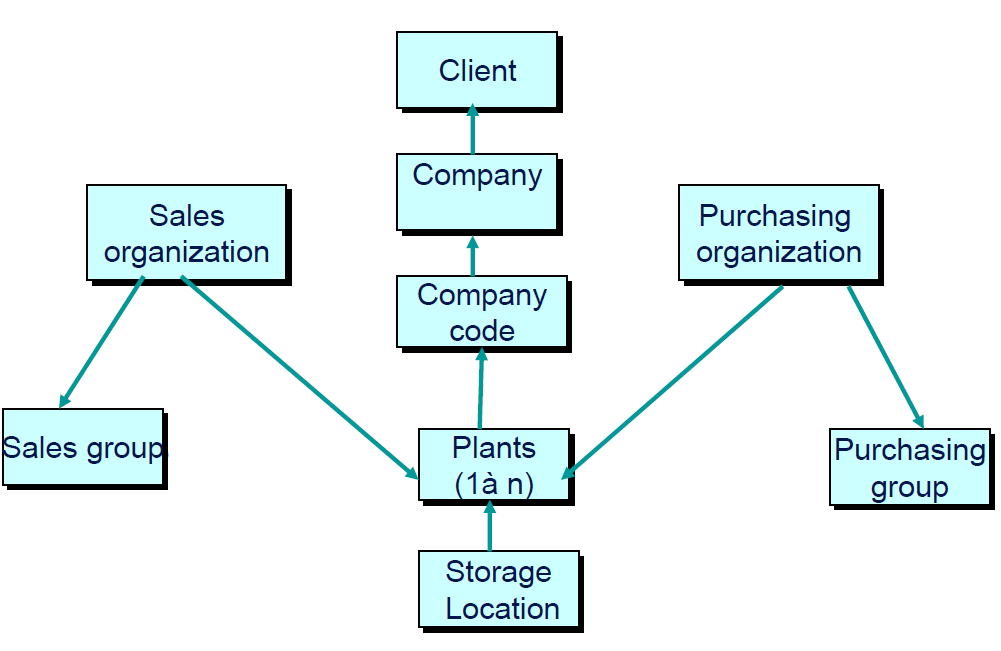
A Client is the top-most organizational structure, which has its own set of master records. A Client is denoted by a 3-character alphanumeric code in SAP, and is a…
-
Hardware Sizing for SAP Implementation
ASAP provides a tool called Quicksizer, which is used to analyze the hardware requirements (of mySAP.com) and to arrive at the hardware sizing for the project based on your…
-
Purpose of Modification Assistant
The Modification Assistant is the tool that offers you support when making modifications to the standard, by branching to a special modification mode whenever you are modifying objects from…
-
Find the Fields or Tables accessed for a Transaction
A common way to find the technical data underlying a transaction is to place your cursor in the field, press the key F1, and then click on the button…
-
What is SAP Query or ABAP Query?
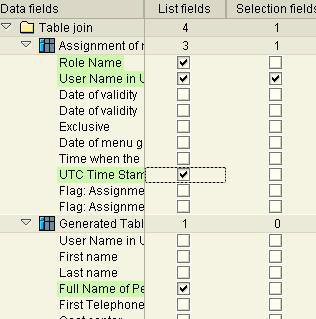
ABAP Query (also known as an SAP Query or Query) is a powerful tool used to generate simple reports without any coding. Typically, an ABAP query is created first…
-
What is ALE?
ALE (Application Link Enabling) is used to support the construction and operation of distributed applications, through the exchange of data messages ensuring data consistency across loosely coupled SAP applications,…
-
What is BDC Programming in SAP?
BDC (Batch Data Conversion) is an automated procedure for transferring large volumes of external or legacy data into the SAP system using batch input programming and is similar to…
-
Purpose of Drilldown or interactive report
A Drill-Down Report, also called an Interactive Report, is a report with more detail. Imagine that you are looking at a Balance Sheet, presented as a drill-down report. The…