


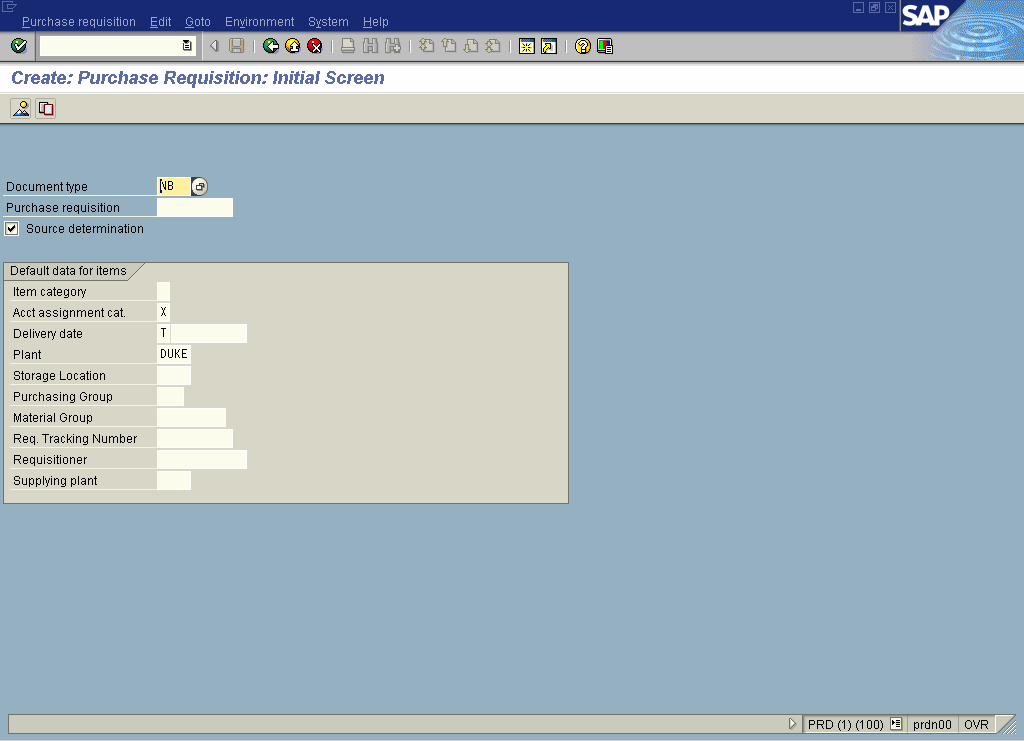
A Transaction Variant is a set of screen variants that is used to predefine the screen behavior and defaults. Fields, Sub screens and full screens that may not be required by a user can be supressed from that users view through the use of variant Functionality. Default values can also be set for any input fields and fields can have the ready to input status revoked.
A Transaction variant can only be created for a dialog or reporting transaction and only normal, subscreen and dialog screens can be included in the variant.
The GuiXT script language allows a developer to modify a screen through transaction variant maintanence providing flexibility and power to the developer. Screen layouts can be modified by inserting buttons, value helps, moving objects, inserting screens and much more.
How are Program variants different than Transaction Variant
Program variants lets you save field values for any program or a report, that way you do not have to renter the values again and again for the same program.
You can also have the system change the date and time values automatically and other fields as maintained in the table TVARVC. Use the transaction “STVARV†to maintain the entries.


Leave a Reply